It can change the look
Layout, widgets, materials, the background picture, custom icons. Applied as a new profile, so the dock you already had is still there to switch back to.
 RadicalDock
$29.99
RadicalDock
$29.99
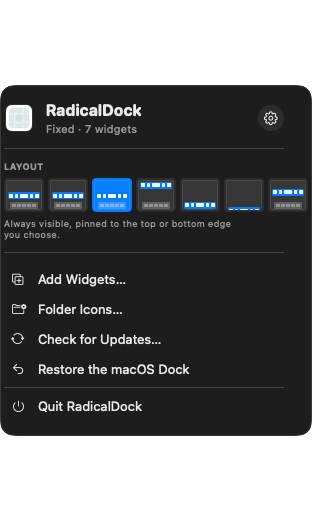
RadicalDock lives in the menu bar and puts a second dock wherever you like — with the clock, the weather, your CPU, your clipboard and 160 other things on it. It does not replace the Dock. It does what the Dock never would.
Get RadicalDock — $29.99 macOS 14 or later · One Mac · Pay once · Updates included
163 widgets · Your own icons · A command bar · Clipboard history · A dock per display






Not 163 variations on a clock. Time, weather, system load, your calendar, your reminders, files, media, developer analytics, and about thirty connected services — each one a tile you can put where you want it.
Give any application a picture of your own. RadicalDock rounds it to the exact silhouette macOS uses — 22.37% of the side, continuous curvature, the same shape as the icon beside it — and offers to take the background out with Vision.
PNG, JPEG or HEIC, cropped to fill and clipped to the system silhouette. Reset puts the original icon back; nothing is written into the application bundle.
Put a photograph under the dock. It sits beneath the material, not in front of it, with blur and darkening you control — so the glass still reads as glass.
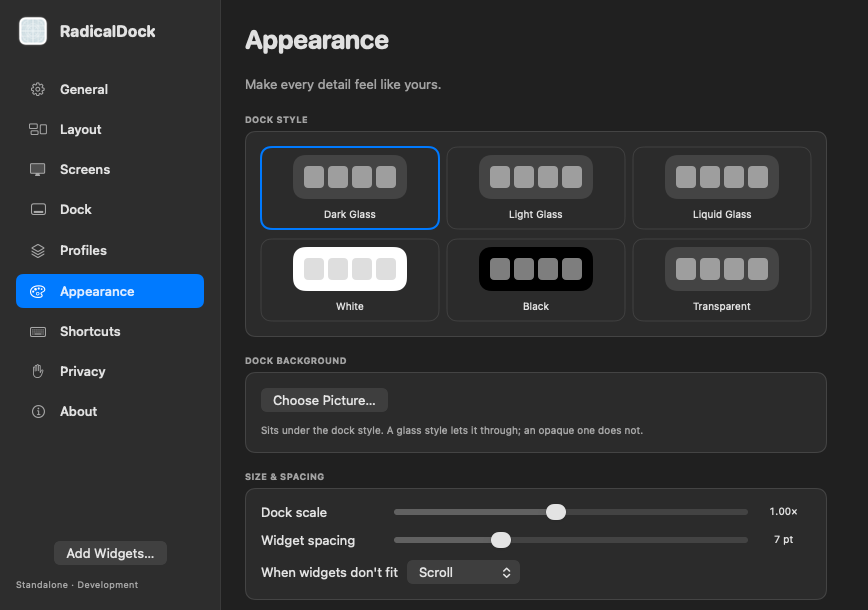
Dark glass, light glass, liquid glass, white, black or fully transparent. Reduce Transparency is honoured, from System Settings or from ours.
Apps, files, widgets, clipboard history, arithmetic, emoji and symbols — ranked by what you actually use, not alphabetically. Files come from Spotlight, because your Mac already has the index and nothing here is going to crawl your disk a second time.
Save a layout, its widgets, its background and its icons as one file, and hand it to a friend. Open one they sent you and you see exactly what it will do before anything changes.
Layout, widgets, materials, the background picture, custom icons. Applied as a new profile, so the dock you already had is still there to switch back to.
A Space carries no file paths, in either direction. It cannot run, open or launch anything. Pictures are re-encoded from their pixels, so nothing rides along inside one.
Opening a Space shows you what it contains. Applying it is a separate press. There is no path by which a download changes your dock on its own.
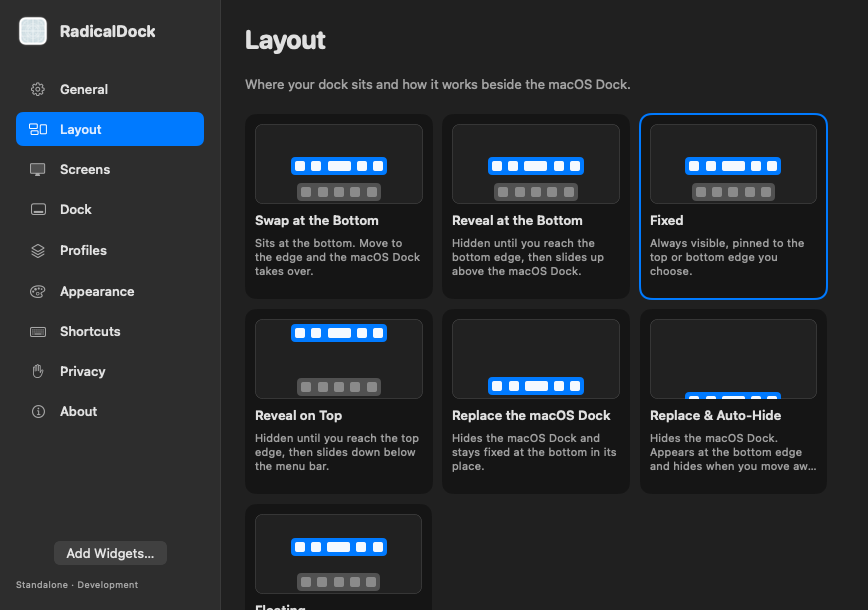
Pin a display to its own profile and it keeps it while everything else follows along. The laptop can carry the clock and the weather; the monitor can carry eleven developer widgets and nothing else.
Or let a schedule do it: a window of hours and days, and the dock changes itself. The first matching rule wins, so the list is the priority.
A dock you keep on screen all day is a dock that had better cost nothing. These are measured on an Apple silicon Mac by the app's own benchmark, not estimated.
Pay once, it is yours. Every update after that is included — there is no second tier and nothing is held back for one.
No. It is a second dock. You can set it to hide the real one if you want that, and it hands the Dock back before it ever quits or updates — an interrupted install cannot leave you with no Dock and no app to restore it.
Accessibility, if you want window previews and app switching. Calendar, Reminders, Contacts and Photos only if you add a widget that shows them. The microphone only for the voice memo and audio meter. Nothing is asked for until the feature that needs it is used, and declining one disables that widget and nothing else.
Only if you turn clipboard history on, and never what a password manager marks as concealed — that is checked before the clipboard is read at all, not filtered after. The history is kept in its own file on your Mac. It is never exported, never uploaded, and not included when you export your settings.
It checks a signed update feed, and that is the whole of it. No analytics, no account, no telemetry. Widgets that show a service's numbers talk to that service with credentials you supplied, kept in the Keychain.
One. If you have two Macs you need two licences.
macOS 14 and later, on Apple silicon and Intel. The app ships as a universal binary.